
Test in chat
- Open your agent and go to Test → Chat Window → Start Testing.
- Send messages and confirm answers match your knowledge base and prompt.
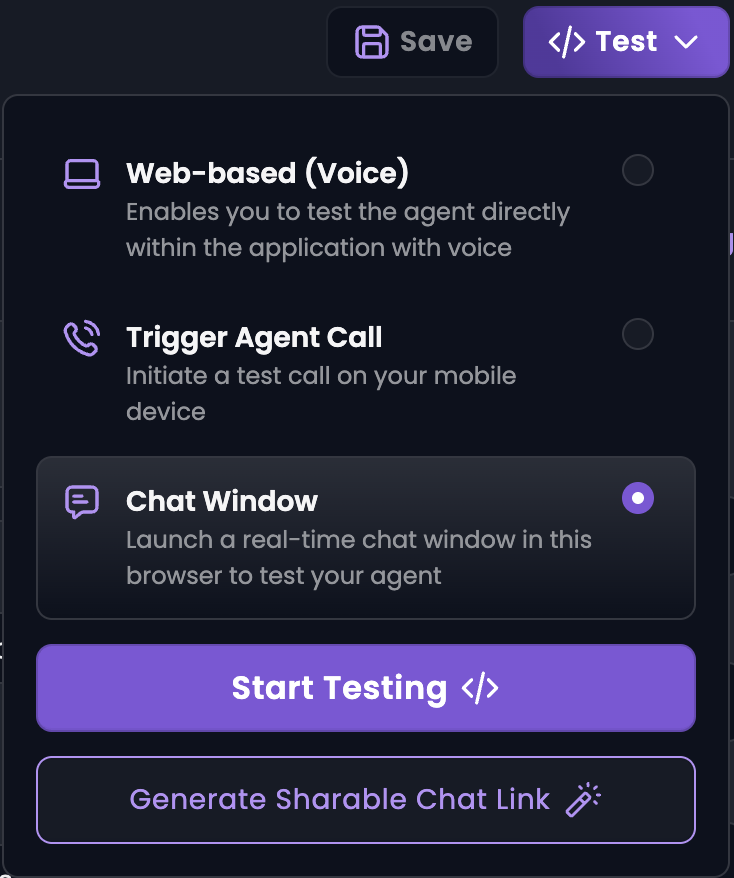
Test voice in the browser
- Go to Test → Web-based (Voice) → Start Testing.
- Speak as a caller would and listen to the agent’s replies.
- To share with a teammate, use Generate Shareable Link (valid for five minutes, no login required).
Test on a phone call
- Whitelist your number under Whitelisting Numbers.
- Go to Test → Trigger Agent Call, select your number, and click Start Testing.
- Answer the incoming call and run through your main scenarios.